Designing additional audio controls for web and mobile web
Bringing fast forward, rewind, and playback speed controls to Voxer's voice messaging experience
Voice messaging without full playback control
Voxer's core voice messaging experience lets users send and receive audio messages in real time. But on web and mobile web, users had limited control over how they listened back. There was no way to skip ahead, rewind, or adjust playback speed which forced users to listen to every message at 1x speed from start to finish.
For power users managing high volumes of audio including field teams, managers, first responders, this was a significant friction point that made the web experience feel incomplete compared to native mobile apps.
Listening on web felt like a step backwards
Web and mobile web users had no playback flexibility. A 3-minute voice message had to be listened to in full, at normal speed, with no way to jump to the relevant part or catch up faster.
- No fast forward meant users couldn't skim long messages for key information
- No rewind forced users to restart entire messages to catch something they missed
- No speed control made catching up on a backlog of messages slow and inefficient
- The gap between native app and web controls created inconsistent expectations
Parity, efficiency, and platform consistency
BUSINESS
Increase engagement and time spent on the web platform by making audio playback as efficient and flexible as the native app experience.
USER
Give users control over how they listen by skipping ahead, rewinding, and speeding up playback to fit how they actually work.
End-to-end design for web and mobile web
I owned the full design of the additional audio controls bar. This included defining the feature set with the CEO and engineering team, through interaction design, visual design within the existing web design system, and handoff to the internal engineering team.
Three controls, one cohesive bar
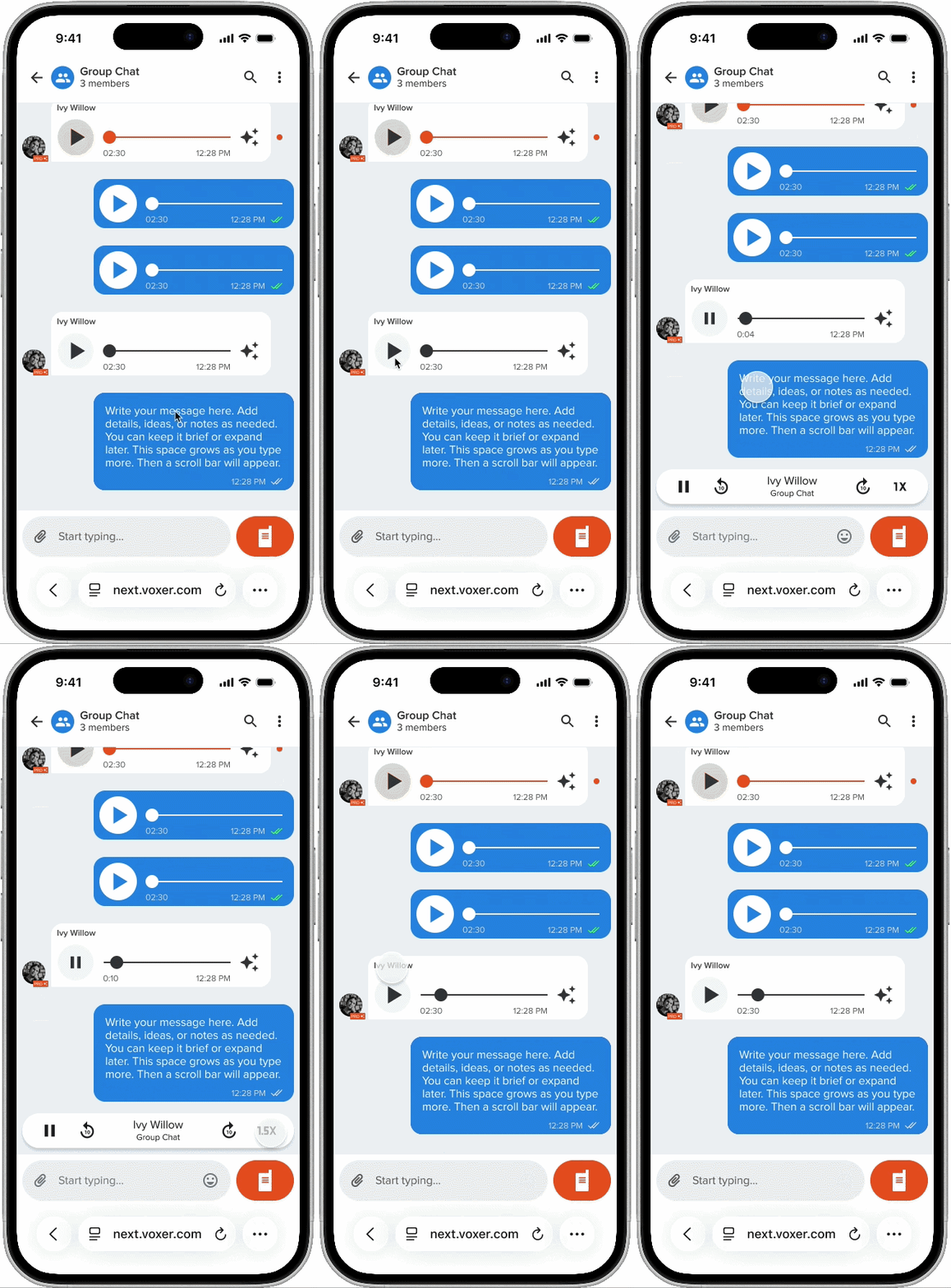
The design challenge was fitting three new controls, fast forward, rewind, and playback speed into the existing audio message component without cluttering the interface or breaking the visual rhythm of the conversation thread.
The controls needed to feel native to the platform. I designed within the existing web design system to maintain visual consistency.
Fitting within existing constraints
The biggest design constraint was working within the existing audio message component. I designed the controls to appear contextually when a message is actively playing, keeping the interface clean when idle and surfacing the controls exactly when they're needed.
Live on web and mobile web
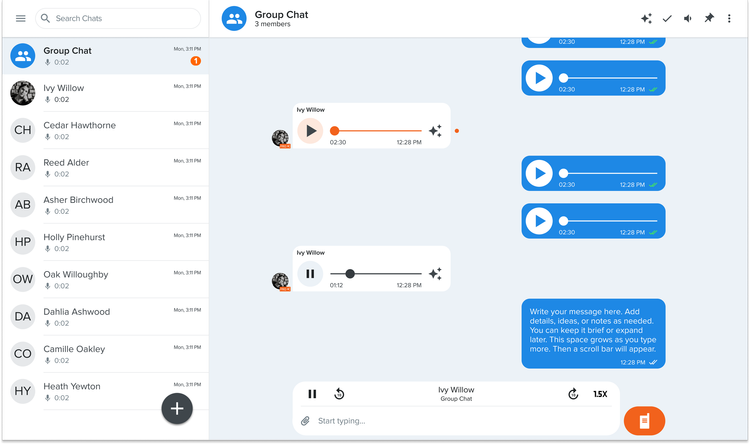
The final audio controls bar ships alongside the existing playback component on both web and mobile web. Fast forward and rewind sit flanking the scrubber, and the speed toggle appears as a compact label that cycles through speeds on tap. The feature is live on next.voxer.com.
Shipped and live
The audio controls feature shipped across web and mobile web, closing the gap between Voxer's native app experience and its web platform.
Small controls, big impact on workflow
This project was a good reminder that the most impactful design work isn't always the most complex. Three simple controls, fast forward, rewind, and speed, fundamentally changed how power users could work with voice messages on web. The challenge was surfacing the controls in a contextual easy to use way.